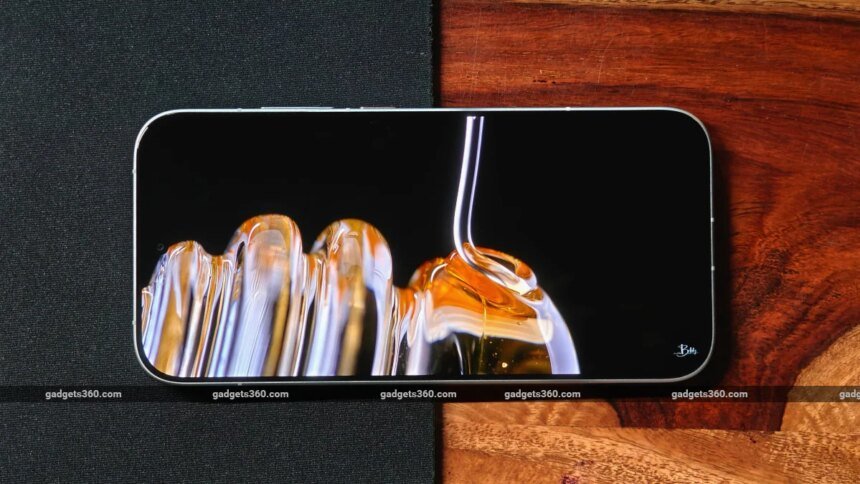
You have probably come across 60Hz, 90Hz or 120Hz while comparing smartphone displays, but the numbers do not always tell the whole story. Refresh rate affects how smoothly content moves across the screen, which is why the difference can be noticeable when scrolling, navigating apps or playing compatible games. At the same time, a higher refresh rate can affect battery consumption and does not necessarily make videos look better. So, how different are 60Hz, 90Hz and 120Hz in practice, and which refresh rate should you look for in your next phone?
What Is Refresh Rate and Why Does It Matter?
Refresh rate simply tells you how many times your phone’s screen can update what you see in one second. It is measured in hertz, or Hz. So, a 60Hz display refreshes 60 times a second, while 90Hz and 120Hz screens can refresh 90 and 120 times, respectively. The higher the number, the more frequently the screen can update, which can make things such as scrolling and animations look smoother.
You will notice this most when there is movement on the screen. Scroll through a webpage, swipe through a social media feed or move between apps, and a higher refresh rate can make those actions feel more fluid. At 60Hz, the screen updates about every 16.7 milliseconds. At 90Hz, that drops to 11.1 milliseconds, while 120Hz brings it down to around 8.3 milliseconds.
One important distinction to keep in mind is that refresh rate and frame rate are not the same thing. Refresh rate describes what the display can handle, while frame rate tells you how many frames the phone or a game is producing each second. So, a 120Hz screen can display up to 120 frames per second, but it cannot create extra frames if the phone or game is only producing 60fps.
Refresh rate also affects how responsive a phone feels, but it is not the only factor. Touch sampling rate and display response time can affect how quickly the screen reacts to your input. In other words, a higher refresh rate can make a phone feel smoother and more responsive, but it does not tell you everything about the display.
60Hz vs 90Hz vs 120Hz: How Do They Compare?
The key difference is how often the screen can update what you see. A 60Hz panel refreshes 60 times a second and is fine for everyday tasks, although fast scrolling may look less smooth. At 90Hz, the screen refreshes 50 percent more often than 60Hz, making scrolling and animations feel smoother. A 120Hz panel refreshes twice as often as 60Hz, so it can make fast-moving content and compatible games look even more fluid. The jump from 90Hz to 120Hz, however, is less noticeable.
The difference also comes down to timing. A 60Hz screen updates every 16.7 milliseconds, compared with 11.1 milliseconds at 90Hz and 8.3 milliseconds at 120Hz. These numbers represent the maximum refresh rate. Phones with adaptive refresh rate can switch between rates depending on what is happening on screen, using higher rates for movement and lower ones when the screen is static.
How Does Refresh Rate Affect Everyday Use?
The effect of refresh rate is easiest to notice when there is a lot happening on the screen. Scrolling through a webpage or social media feed, switching between apps, or moving through menus can feel noticeably smoother at 90Hz or 120Hz. If you are simply reading something or looking at a photo, though, you are unlikely to see much difference.
Battery life is a little more complicated. A higher refresh rate can use more power because the display updates more often. This is where adaptive refresh rate can help. Your phone can increase the refresh rate when you need smoother motion and lower it when the screen is mostly static.
Gaming is another area where 90Hz and 120Hz can be useful. If a game supports higher frame rates, a faster display can make gameplay look smoother, especially during quick movements. But the display is only one part of the equation. A 120Hz screen cannot make a game running at 60fps suddenly run at 120fps.
Watching videos is different. Most films, TV shows and online videos do not use frame rates as high as 120fps, so a 120Hz display does not automatically make the video itself look better. You can still benefit from the higher refresh rate when scrolling through a streaming app or browsing its menus.
Which Refresh Rate Is Best for Your Phone?
The right refresh rate really depends on what you do with your phone. If you mostly message, browse, make calls and use basic apps, 60Hz can be perfectly fine. If you want scrolling and animations to feel smoother without going all the way to 120Hz, 90Hz is a good middle ground.
If you spend a lot of time scrolling or play games that support higher frame rates, 120Hz is worth considering. It gives you the smoothest experience of the three, although it can also use more power.
It is also worth checking whether the phone supports adaptive refresh rate. This lets the display switch between refresh rates depending on what you are doing, which can help manage battery use.
And remember, refresh rate is only one part of the display experience. Brightness, resolution, colour reproduction, touch response and the overall quality of the panel matter too. So, if two phones have different refresh rates, do not choose between them based on that number alone.
FAQs
1. Is 120Hz better than 60Hz?
Yes, 120Hz can make scrolling, animations and supported games look smoother.
2. Does 120Hz use more battery?
It can use more power, although adaptive refresh rates can reduce consumption.
3. Is refresh rate the same as frame rate?
No. Refresh rate is the display’s capability, while frame rate is how many frames the device or game produces.