Sign In

Delhi News Daily

  • Home
  • Fashion
  • Business
  • World News
  • Technology
  • Sports
  • Politics
  • Lifestyle
  • Entertainment
Reading: How to Schedule Posts on Instagram: A Step-by-Step Guide – Delhi News Daily
Share

Delhi News Daily

Font ResizerAa
Search
Have an existing account? Sign In
Follow US
© 2022 Foxiz News Network. Ruby Design Company. All Rights Reserved.
Delhi News Daily > Blog > Technology > How to Schedule Posts on Instagram: A Step-by-Step Guide – Delhi News Daily
Technology

How to Schedule Posts on Instagram: A Step-by-Step Guide – Delhi News Daily

delhinewsdaily
Last updated: August 16, 2026 11:12 am
delhinewsdaily
Share
How to Schedule Posts on Instagram: A Step-by-Step Guide
SHARE


Contents
What is the Schedule Posts Feature on Instagram?How to Schedule Posts on Instagram: A Step-by-Step Guide

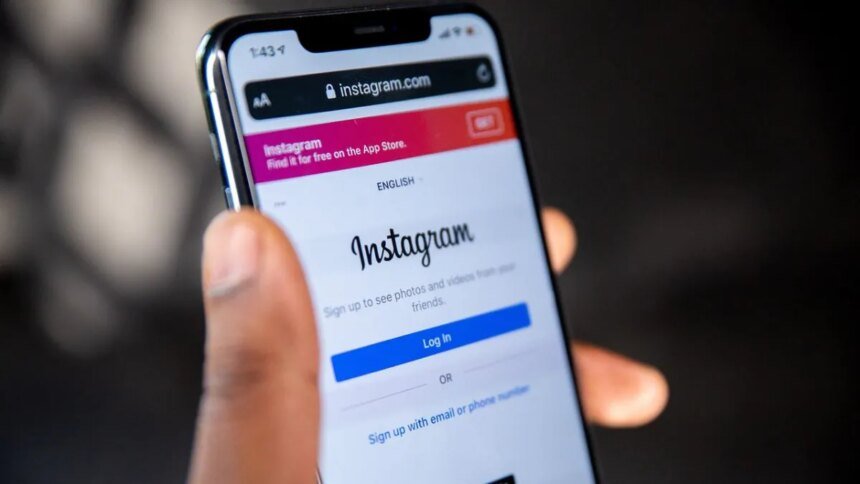
As one of the world’s leading social platforms, Instagram offers far more than simple photo and video sharing. From editing and saving images offline to customising your profile fonts and scheduling future content, the platform is packed with useful features. A few years ago, the Meta-owned platform launched its in-app post-scheduling tool. As the name suggests, it allows users to schedule posts. This feature can especially be helpful for content creators as it cuts down time spent on repetitive tasks, while also eliminating the risk of forgetting or missing their best times to post.

So, if you’ve been wondering how to do this, here’s a comprehensive guide on using Instagram’s handy post-scheduling tool.

What is the Schedule Posts Feature on Instagram?

The Schedule Posts feature on Instagram allows users to compose a post and set a specific time for its upload. It’s particularly useful for businesses, creators or individuals who need to post at a specific time period but whose availability is in question. By planning posts, you can manage your content journey efficiently without having to be online at the moment of delivery.

As of now, the social media giant says features like product tagging, collaborative posts, sponsored posts and fundraisers aren’t compatible with scheduled content.

Users with public accounts can schedule reels, photos and carousel posts from the Instagram app. There are, however, a few requirements if you want to schedule posts, which are as follows:

  • You must have a public account on Instagram.
  • You can schedule up to 25 posts a day, up to 30 days in advance.
  • Your scheduled content will retain the same privacy and audience settings that were configured at the time of scheduling.

How to Schedule Posts on Instagram: A Step-by-Step Guide

  1. Open the create menu by tapping Create in the top-left corner or by swiping right from your feed, then select Post or Reel.

  2. Pick the photo or video you want to share and tap Next.

  3. Edit your content by adding captions, effects, or filters as desired.

  4. Scroll down and select More options.

  5. Enable Schedule this post or Schedule this reel, then set your preferred date and time.

  6. Tap Back to return to the previous screen.

  7. Finalise by tapping Schedule to save your post or reel.

Get your daily dose of tech news, reviews, and insights, in under 80 characters on Gadgets 360 Turbo. Connect with fellow tech lovers on our Forum. Follow us on X, Facebook, WhatsApp, Threads and Google News for instant updates. Catch all the action on our YouTube channel.



Xiaomi’s Next Foldable Leaked With Wider Screen Ahead of Expected September Launch


Source link

Share This Article
Twitter Email Copy Link Print
What do you think?
Love0
Sad0
Happy0
Sleepy0
Angry0
Dead0
Wink0
Previous Article BIS to scale up silver hallmarking testing as buyers shift from costly gold – Delhi News Daily
Next Article India win FIH Hockey Women’s Nations Cup (FIH) ‘Repeatedly Maligned, Falsely Accused’: Mamata Banerjee On Death Of Ex-Bengal Deputy Speaker – Delhi News Daily
Leave a comment

Leave a Reply Cancel reply

Your email address will not be published. Required fields are marked *

Recent Posts

  • ‘Repeatedly Maligned, Falsely Accused’: Mamata Banerjee On Death Of Ex-Bengal Deputy Speaker – Delhi News Daily
  • How to Schedule Posts on Instagram: A Step-by-Step Guide – Delhi News Daily
  • BIS to scale up silver hallmarking testing as buyers shift from costly gold – Delhi News Daily
  • Seattle-based creator talks about ‘worst part’ of living in India: ‘It’s so cheap that I don’t know…’ – Delhi News Daily
  • Mcap of 5 most valued firms erodes by ₹1 trn, TCS takes biggest hit – Delhi News Daily

Recent Comments

No comments to show.

You Might Also Like

How to Use Your Android Phone as a Webcam on Your Windows 11 PC: A Step-By-Step Guide
Technology

How to Use Your Android Phone as a Webcam on Your Windows 11 PC – Delhi News Daily

Windows was recently updated with a new functionality that lets you connect your Android smartphone as a webcam with your…

7 Min Read
Moto Buds 2 to Launch in India Alongside Moto G37 Series; Flipkart Availability Confirmed
Technology

Moto Buds 2 to Launch in India on This Date – Delhi News Daily

Motorola has announced the launch date for the Moto Buds 2 in India. The true wireless stereo (TWS) earbuds will…

3 Min Read
Redmi Note 17 India Launch Date Leaked as Tipster Confirms Indian Variant’s Key Specifications
Technology

Redmi Note 17 India Launch Timeline, Key Specifications Leaked – Delhi News Daily

The Redmi Note 17 series was launched in China last week, and the lineup now appears to be headed to…

3 Min Read
Scientists Discover 77 Rare Red Quasars Hidden Behind Cosmic Dust
Technology

Scientists Discover 77 Rare Red Quasars Hidden Behind Cosmic Dust – Delhi News Daily

In the center of many large galaxies lies a supermassive black hole. If such black holes start accreting matter, then…

3 Min Read

Delhi News Daily

© Delhi News Daily Network.

Incognito Web Technologies

Welcome Back!

Sign in to your account

Username or Email Address
Password

Lost your password?