Sign In

Delhi News Daily

  • Home
  • Fashion
  • Business
  • World News
  • Technology
  • Sports
  • Politics
  • Lifestyle
  • Entertainment
Reading: How to Turn on Passkeys for Google Account: A Step-by-Step Guide – Delhi News Daily
Share

Delhi News Daily

Font ResizerAa
Search
Have an existing account? Sign In
Follow US
© 2022 Foxiz News Network. Ruby Design Company. All Rights Reserved.
Delhi News Daily > Blog > Technology > How to Turn on Passkeys for Google Account: A Step-by-Step Guide – Delhi News Daily
Technology

How to Turn on Passkeys for Google Account: A Step-by-Step Guide – Delhi News Daily

delhinewsdaily
Last updated: September 20, 2026 1:12 am
delhinewsdaily
Share
How to Turn on Passkeys for Google Account: A Step-by-Step Guide
SHARE


Contents
How to Set Up a Passkey for a Google AccountHow to Sign In to a Google Account With a PasskeyFAQsCan passkeys protect against phishing and scams?Can I use face recognition to sign in with a Google passkey?Do passkeys replace Google Account passwords?

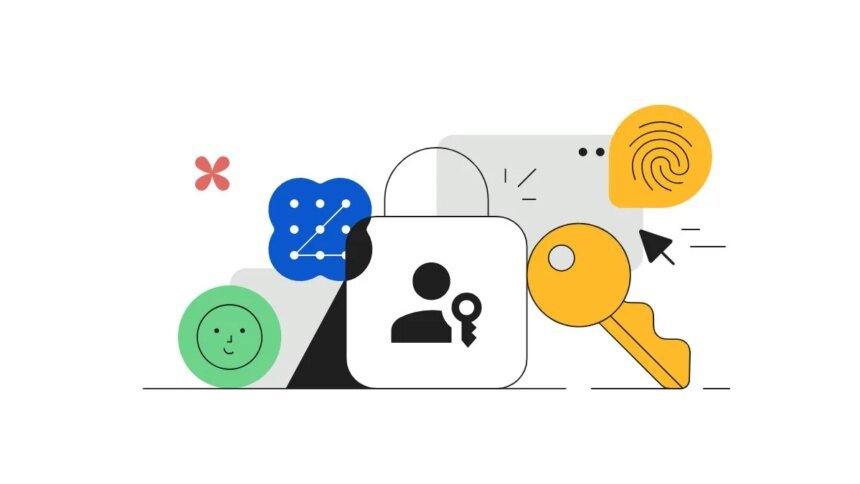
Google unveiled Passkeys in 2023 to reduce reliance on passwords. They came as a secure alternative to traditional passwords and offer an easy way to sign in with your biometrics. Google positioned Passkeys to resist online attacks like phishing. Passkeys are saved and synced by the password manager, and this allows users to sign in on other devices with the same Passkey. You can create passkeys for your Google Account and use them to sign in on supported phones, computers and other devices. For instance, a passkey created on an Android phone will also let you access the Google Account when moving to a new device, including an iPhone.

Depending on the device, Passkeys allow users to sign in to apps and websites with a PIN, fingerprint scanner, and face unlock. In this article, we will guide you through steps to set up a passkey for a Google Account.

How to Set Up a Passkey for a Google Account

Google recommends that users create passkeys on devices they own and use to make them more secure. Google may ask you to sign in to your account or verify your identity during setup.

You can create a Google Account passkey by following these steps:

  • Head to the Google Account passkeys page.
  • Tap Create a passkey.
  • Select Create a passkey again if prompted.
  • Unlock your device using its screen-lock method.
  • Follow any additional instructions shown on the screen.

To create passkeys on multiple devices, repeat these steps on those devices. After creating the passkey, you can use it to sign in to your Google Account on that device.

How to Sign In to a Google Account With a Passkey

After setting up a passkey, it acts as an alternative to entering your account password. Depending on the device, users can authenticate with a fingerprint, face scan, screen lock or PIN.

Follow these steps to sign in with a passkey:

  • Head to the Google sign-in page.
  • Type your Google Account username.
  • Select the passkey if it appears as an available sign-in option.
  • Follow the instructions shown by your device or browser.
  • Unlock the device using your fingerprint, face recognition, PIN or other supported screen-lock method.

You can use Passkeys to sign in to a computer with a passkey stored on a compatible Android phone, iPhone, iPad or hardware security key. In these situations, Google sometimes show a QR code that can be scanned with your phone’s camera or QR code scanner app. You can then verify your identity on your phone with your fingerprint, face unlock, or PIN.

Creating a passkey does not remove the password linked to your Google Account. Users can still use their password when needed. However, creating a passkey enables a passkey-first sign-in experience by default. Users who prefer to use their password first can change this preference in their Google Account security settings by signing in to their Google Account>Tap Security & sign-in> Tap How you sign in to Google> turn off Skip password when possible.

FAQs

Can passkeys protect against phishing and scams?

Passkeys are designed to offer protection against phishing and scams, as they cannot be copied the same way as a password.

Can I use face recognition to sign in with a Google passkey?

Yes. On supported devices, face recognition can be used to verify your identity when signing in with a passkey.

Do passkeys replace Google Account passwords?

Yes. Google launched Passkeys as an alternative to passwords, and they provide a passwordless way to sign in.



Source link

Share This Article
Twitter Email Copy Link Print
What do you think?
Love0
Sad0
Happy0
Sleepy0
Angry0
Dead0
Wink0
Previous Article Stanford scientists transplanted human brain tissue into mice missing most of their cortex; within months, it grew to occupy more than 90% of the space – Delhi News Daily
Next Article England vs Sri Lanka Live Cricket Score, 3rd T20I: Stay updated with ENG vs SL Ball by Ball Match Updates and Live Scorecard from Manchester. (Picture Credit: X/@OfficialSLC) Autonomy Over Alignment: Why ABVP’s Revolt Against MCD Ruined Gen Z ‘CJP’ Wave In DUSU Polls – Delhi News Daily
Leave a comment

Leave a Reply Cancel reply

Your email address will not be published. Required fields are marked *

Recent Posts

  • Autonomy Over Alignment: Why ABVP’s Revolt Against MCD Ruined Gen Z ‘CJP’ Wave In DUSU Polls – Delhi News Daily
  • How to Turn on Passkeys for Google Account: A Step-by-Step Guide – Delhi News Daily
  • Stanford scientists transplanted human brain tissue into mice missing most of their cortex; within months, it grew to occupy more than 90% of the space – Delhi News Daily
  • Govt mandates Aadhaar biometric authentication for LPG subsidy from Oct 1 – Delhi News Daily
  • Kevin Costner, 71, reportedly spending time with 39-year-old influencer McKenna Wesley amid romance rumours; Yellowstone star spotted with her after his divorce from Christine Baumgartner – Delhi News Daily

Recent Comments

No comments to show.

You Might Also Like

Vivo Y05e Passes Through Thailand
Technology

Vivo Y05e Visits Thailand’s NBTC Certification Database, Might Launch Soon – Delhi News Daily

Vivo's Y series may be about to receive another member, as the Vivo Y05e have just been spotted passing through…

3 Min Read
Samsung Galaxy S26 FE Renders Leak Again, Suggesting Three Colour Options
Technology

Samsung Galaxy S26 FE Renders Leak Again, Suggesting Three Colour Options – Delhi News Daily

Samsung Galaxy S26 FE has appeared in a fresh set of leaked renders, offering a detailed look at the phone…

3 Min Read
Lenovo Idea Tab Plus vs Xiaomi Pad 8 vs Samsung Galaxy Tab S10 Lite 5G: Price in India, Specifications Compared
Technology

Lenovo Idea Tab Plus vs Xiaomi Pad 8 vs Galaxy Tab S10 Lite 5G Compared – Delhi News Daily

Xiaomi Pad 8 was launched in India last month with a Snapdragon 8s Gen 4 SoC and a 9,200mAh battery.…

10 Min Read
Mivi First Smartphone Price in India Leaked Ahead of Upcoming Launch
Technology

Mivi First Smartphone Price in India Leaked Ahead of Upcoming Launch – Delhi News Daily

Mivi is set to enter India's smartphone market with its first handset, expanding beyond its established audio business. The upcoming…

3 Min Read

Delhi News Daily

© Delhi News Daily Network.

Incognito Web Technologies

Welcome Back!

Sign in to your account

Username or Email Address
Password

Lost your password?